Resources & Documents
Running a trip: who is assigned to it — guides, drivers, vehicles, hotels and more — and the vouchers and service orders that tell each supplier what to provide. Your suppliers themselves are covered in Suppliers.
Assigning Resources to a Trip
On an itinerary, open the Operations tab.
- Coverage — what each day needs, from its services, and who is assigned: each cell shows the person, Needed, or nothing needed; the header says how many gaps are left, or All covered
- Resource Assignment — tabs for Guides, Vehicles, Drivers, Hotels, Restaurants, Nile Cruises, Airport Staff and Hotel Staff (More types shows the rest). Add one with its dates, a quantity (rooms or vehicles) and notes; the lists can be narrowed by city, airport or route. A driver or staff member not in your lists can be typed in for this trip.
- Conflicts — when someone is also confirmed on another trip on the same days, a Scheduling Conflicts Detected banner names them and the other trip
- For each person assigned: Send brief (WhatsApp or email), a Staff link to copy, and Change dates or Remove
The Trip timeline is below. Changing or removing an assignment is for managers and admins.
Supplier Documents
On an itinerary, Supplier docs generates the paperwork for its services (the Documents menu beside it is the client's: itinerary PDF, contract and invoice). Generate All, or one kind:
| Document | Number | For |
|---|---|---|
| Hotel Voucher | HV- | Each stay at a hotel (consecutive nights) |
| Transport Voucher | TV- | Transfers and drives |
| Guide Assignment | GA- | Each guide assigned, with their languages |
| Service Order | SO- | Meals, entrance fees and activities |
| Cruise Voucher | CV- | Each sailing |
Services are grouped by their supplier; a service with none is grouped by kind and place (“Cairo Transportation”). Tips, water, flights and service fees go on no document. Generating again makes only what is missing, and a trip without a deliverable price cannot generate.
The Documents Hub
Documents (Operate, managers and admins) opens Customer Contracts — made from an itinerary — and the supplier documents by type, or All Supplier Documents:
- Grouped by trip, with Show only these and Open itinerary →
- Cards for Total, Draft, Sent, Confirmed and Completed; type pills; Search by document #, supplier, client… and a status filter
- A trip whose documents are behind its services says so: “N documents are not generated yet” (Generate missing) or “N documents no longer match the trip”
- On each: View, Edit, and the next step — Mark as Sent, Mark as Confirmed, Mark as Completed — or Revert to Draft. Delete is for managers and admins.
A document moves Draft → Sent → Confirmed → Completed; Cancelled is set from its edit page.
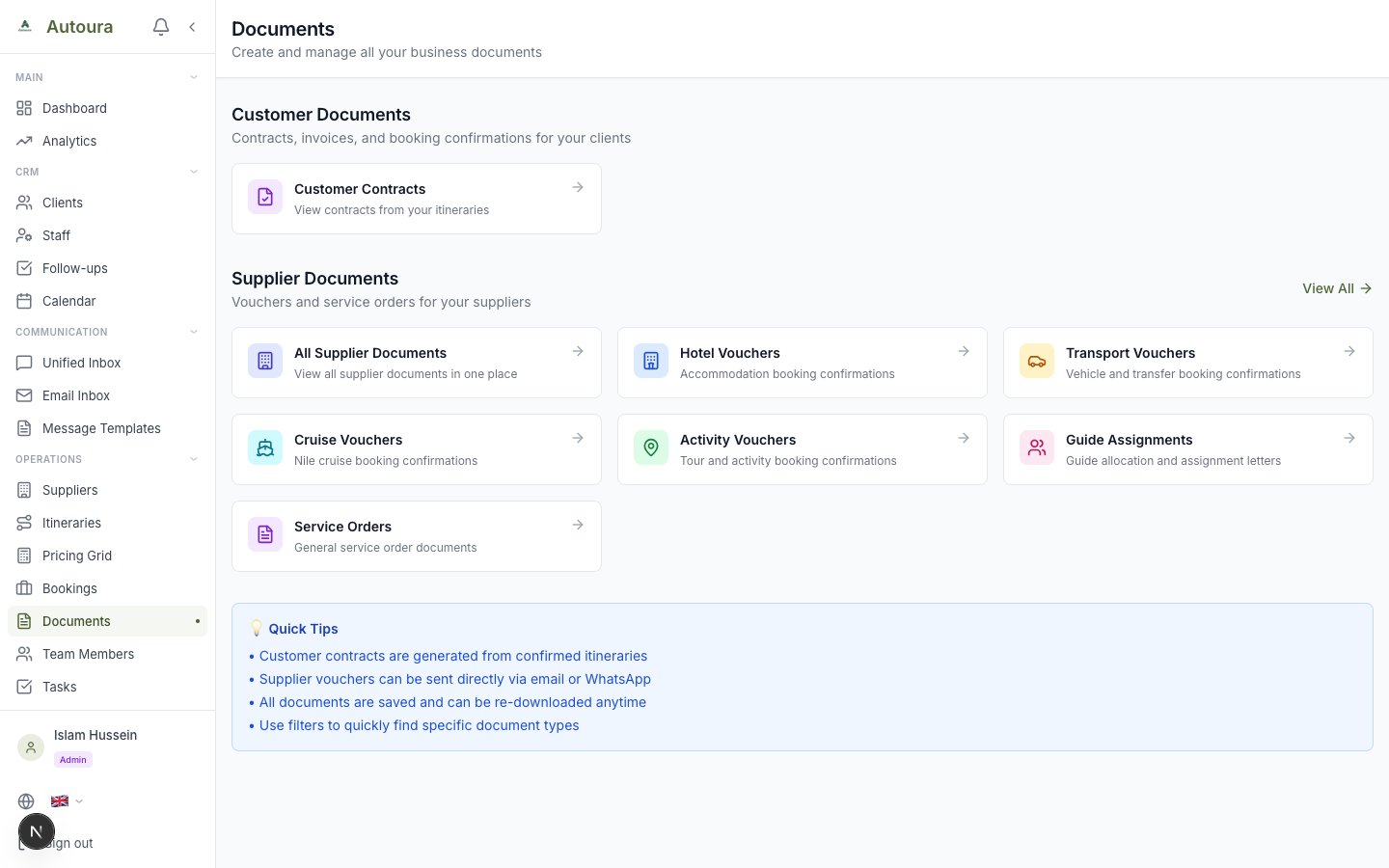
Documents hub with Customer Documents and Supplier Documents link cards
Sending a Document
Open a document for its branded preview, with Edit, Download PDF, Print, Email, WhatsApp and, once sent, Mark Confirmed:
- Email sends the PDF to the supplier from your connected Gmail (Settings → Email) and marks it Sent
- WhatsApp opens a chat with the supplier with the details as a message — attach the PDF yourself — then asks whether to mark it Sent
- Each appears when the document has the supplier's email or phone
Edit changes the supplier and guest details, dates (check-in and check-out, or service date and pickup time), pickup and drop-off for transport, special requests, notes, cost and payment terms, and on a service order its entrance fees (Add Attraction). Save Changes keeps it.
The Resource Management Page
Manage Resources on Settings → Profile opens Resource Management: your guides, vehicles, hotels, restaurants, airport staff and hotel staff in tabs, with Filter by City, Show Inactive and Export. To add or change a supplier, use Suppliers; the content you write about them is in the Content Library.