B2C Pricing
Trips for your direct clients are priced in the Quote Builder (Sell → Quote Builder): every service is looked up in your rates, your markup is added, and the price updates as you change the trip. Building the trip itself is covered in Itinerary Creation.
How the Price Is Built
- Group services — transport, guide, tipping, boat rides and other group costs — are shared among the travellers
- Per-person services — accommodation, entrance fees, flights, experiences, meals, water, cruise — are counted for each traveller
- Airport services, hotel services and activities follow their rate's own basis: per group, per person, or per unit (for example per car)
- Your Markup % is added to the cost per person: Sell/PP = Cost/PP × (1 + markup)
The price updates as you change anything. When you save, every service is priced again from your rates as they are then, and you are told about any that changed.
Where the Rates Come From
From your rates in Suppliers & Rates (managers and admins), filtered to each day's city:
- Hotels — At the trip's tier, priced from the rate period that covers the start date
- Nile Cruises — At the trip's tier, per person per night, by cabin
- Transportation — By route and vehicle; cruise transport packages are offered on cruise days
- Tour Guides — By language and type of guide
- Attractions — EU and non-EU prices, by the trip's passport setting
- Meals, Activities, Flights, Airport and Hotel Services, and Tipping (by who the tip is for)
- Water — From the Water Bottle fixed cost
Accommodation
Hotels and cruises are priced per person in a double room (PPD), for each day you pick one. A hotel's Single Supplement is charged when the trip is for one traveller.
Your Markup
Markup % in the header starts at 25% for B2C and 10% for B2B (switching resets it; in B2B a partner's default margin applies). Admins can set their own starting margin as the Default Profit Margin in Settings.
Reading the Results
- Live Quote (header) — Cost/PP, Total Cost, Margin, Sell/PP and Sell Total, once something is priced
- The bottom bar — Cost / person, Total cost, Margin, Selling / person and Selling total, beside the save button
- Each day — Its own cost, also in the day bar
The Currency setting shows the prices in any of 12 currencies. The itinerary and its quote are saved in the currency your rates are in.
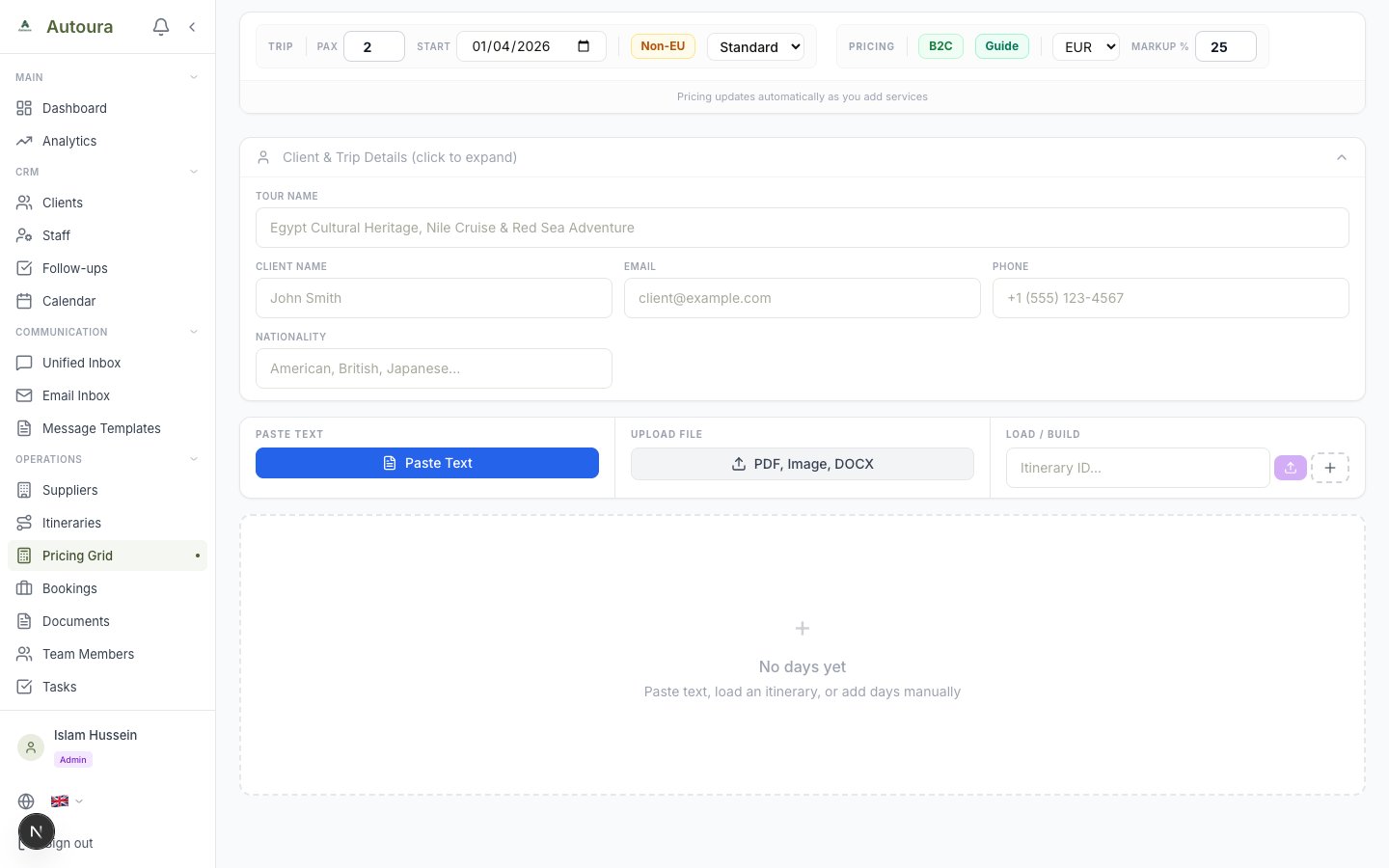
The Quote Builder
B2C Quotes
Saving a B2C trip makes its quote, or reprices the open one. They are in Sell → B2C Quotes:
- Total Quotes, Drafts, Sent/Viewed and Accepted; the status filter counts every status
- Search by quote number, client name or trip, and Filters by tier, currency, created date and validity
- Tick quotes to change their status, export them as CSV, or delete them
- New Quote opens the Quote Builder
A quote has Quote PDF, Send Email, WhatsApp, its status, and Convert to Booking once accepted. Edit changes the base cost and margin; the selling price and price per person are worked out for you.
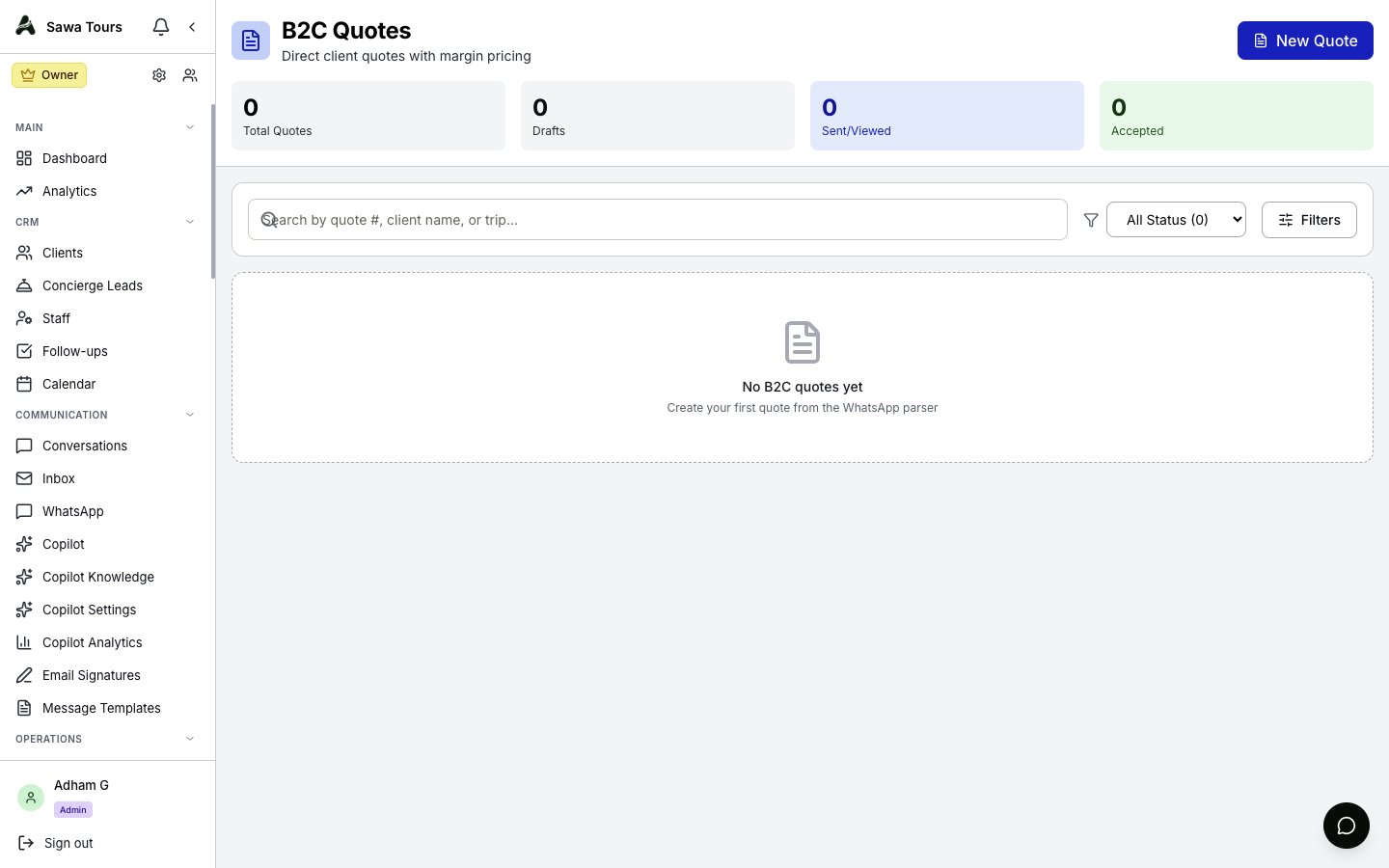
The B2C Quotes list with its stats, search, filters and the New Quote button