Team Activity
Team Activity gives admins and managers an honest picture of how engaged each team member is inside Autoura: when they last logged in, roughly how much focused time they spent, and what they actually produced — tasks, itineraries, messages, quotes, and invoices. It is off by default, transparent by design(every member sees exactly the numbers their manager sees), and measures output over presence.
Enabling It
An admin turns the feature on from Organization settings (the Team Activity card):
- Switch the toggle on — a confirmation appears
- Tick “My team has been informed that activity summaries will be visible” — enabling is blocked until you confirm
- Click Enable — every active team member receives an in-app notice that activity summaries are on
Turning it off takes effect immediately: nothing is shown and no new presence or focused time is recorded while it is off. Last login always comes from the sign-in records, and only admins and managers see other people’s.
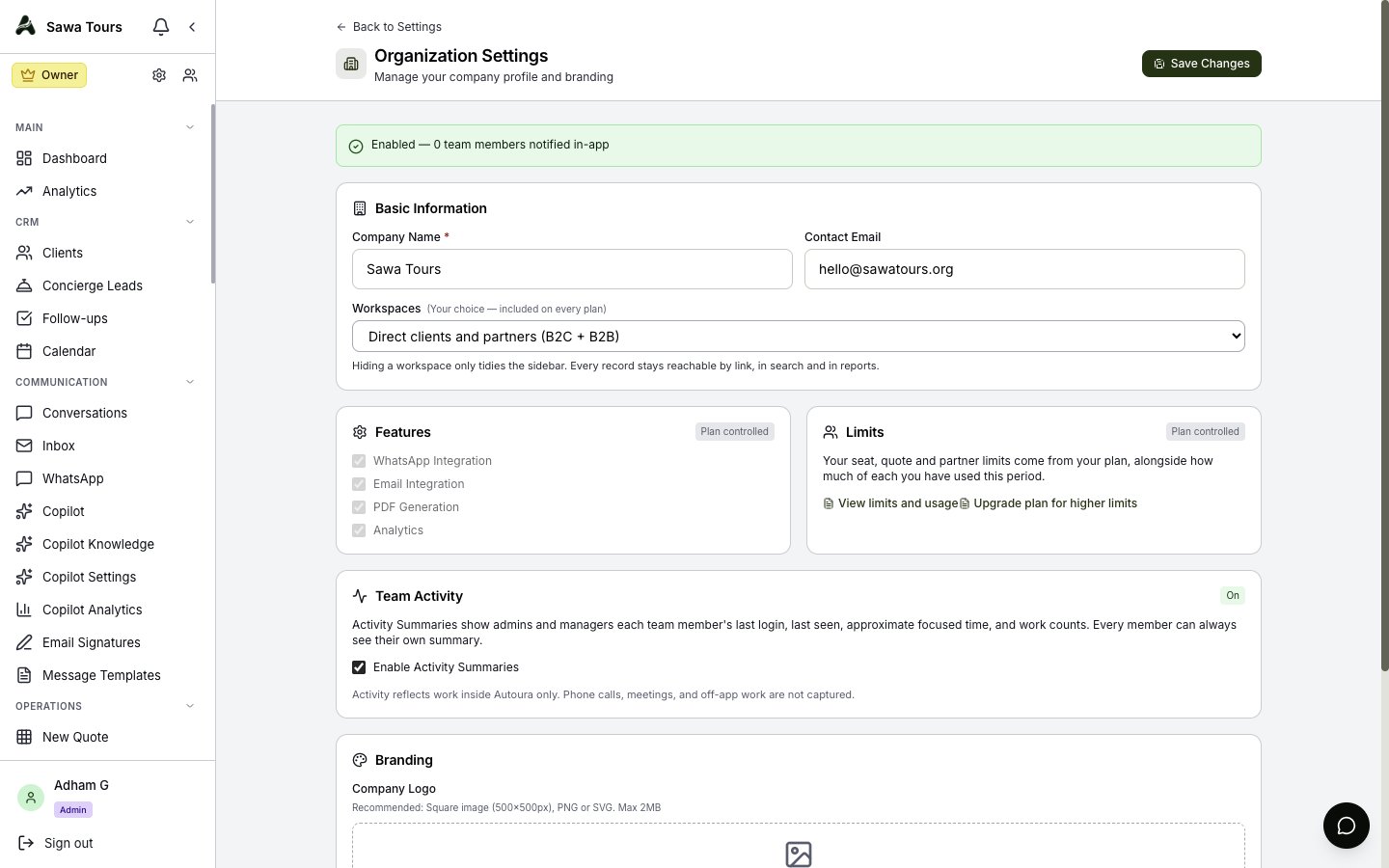
Organization settings with the Team Activity card and informed-confirmation flow
What It Shows
- Last login — from the sign-in records; accurate from day one
- Last seen — refreshed every 5 minutes while an Autoura tab is open, and only recorded while summaries are on
- Focused time — an estimate in 5-minute steps, counted only while the tab is visible and the person has used it in the last 5 minutes; a tab left open in the background accrues nothing, and several tabs count once
- Output counts for the selected range (Today / 7 days / 30 days, whole days counted in UTC): tasks completed (tasks assigned to the person and completed in the range), itineraries touched, messages sent (WhatsApp + email), quotes created, invoices issued, and Copilot drafts reviewed/sent
Where To Find It
- Team Members — members with a login show an Activity button (admins and managers) that opens the summary
- My profile — click your name at the bottom of the sidebar: every member sees their own Your Activity card, with the same numbers their manager sees
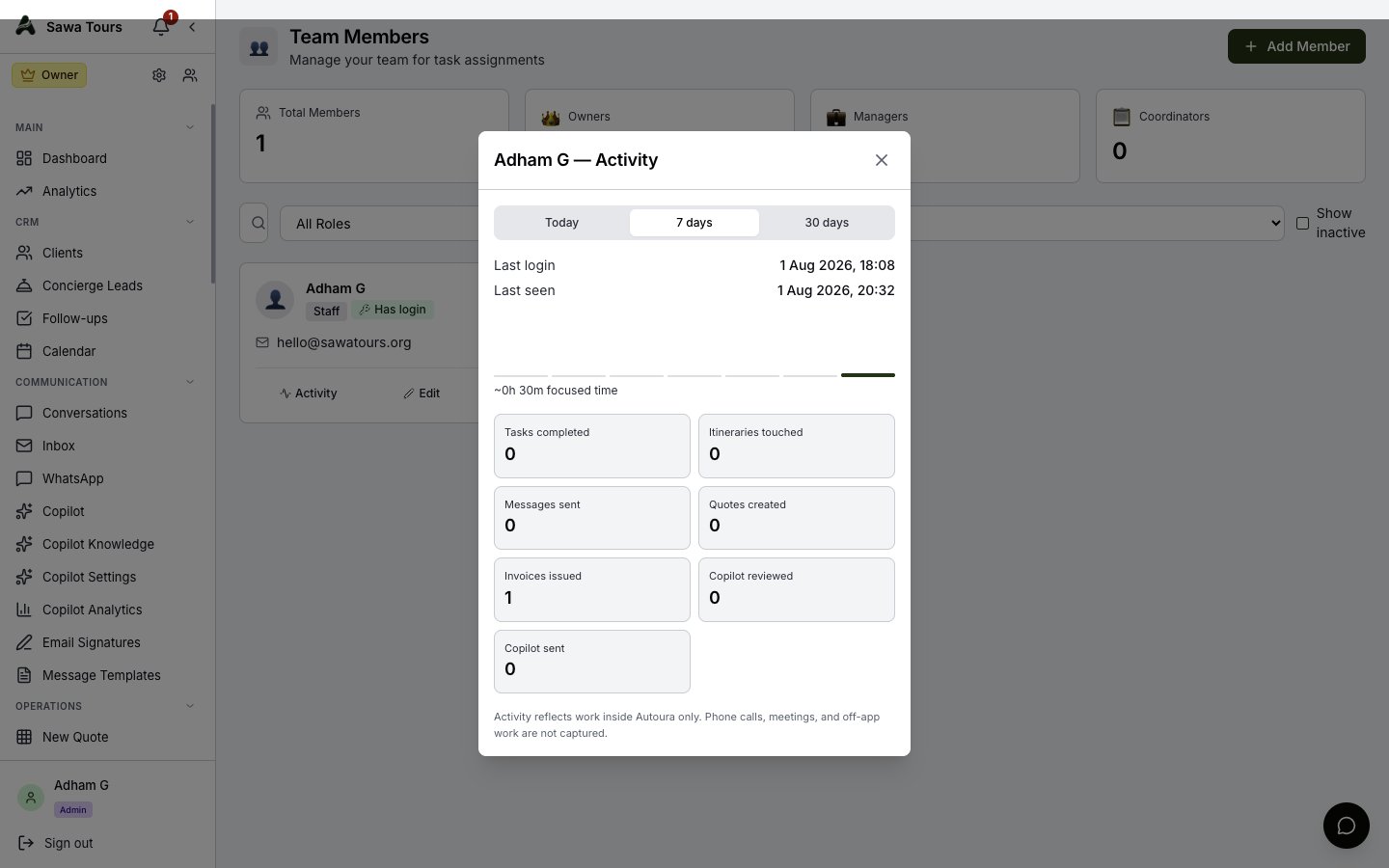
Activity summary for a team member: last login and last seen, focused-time bars, and output tiles
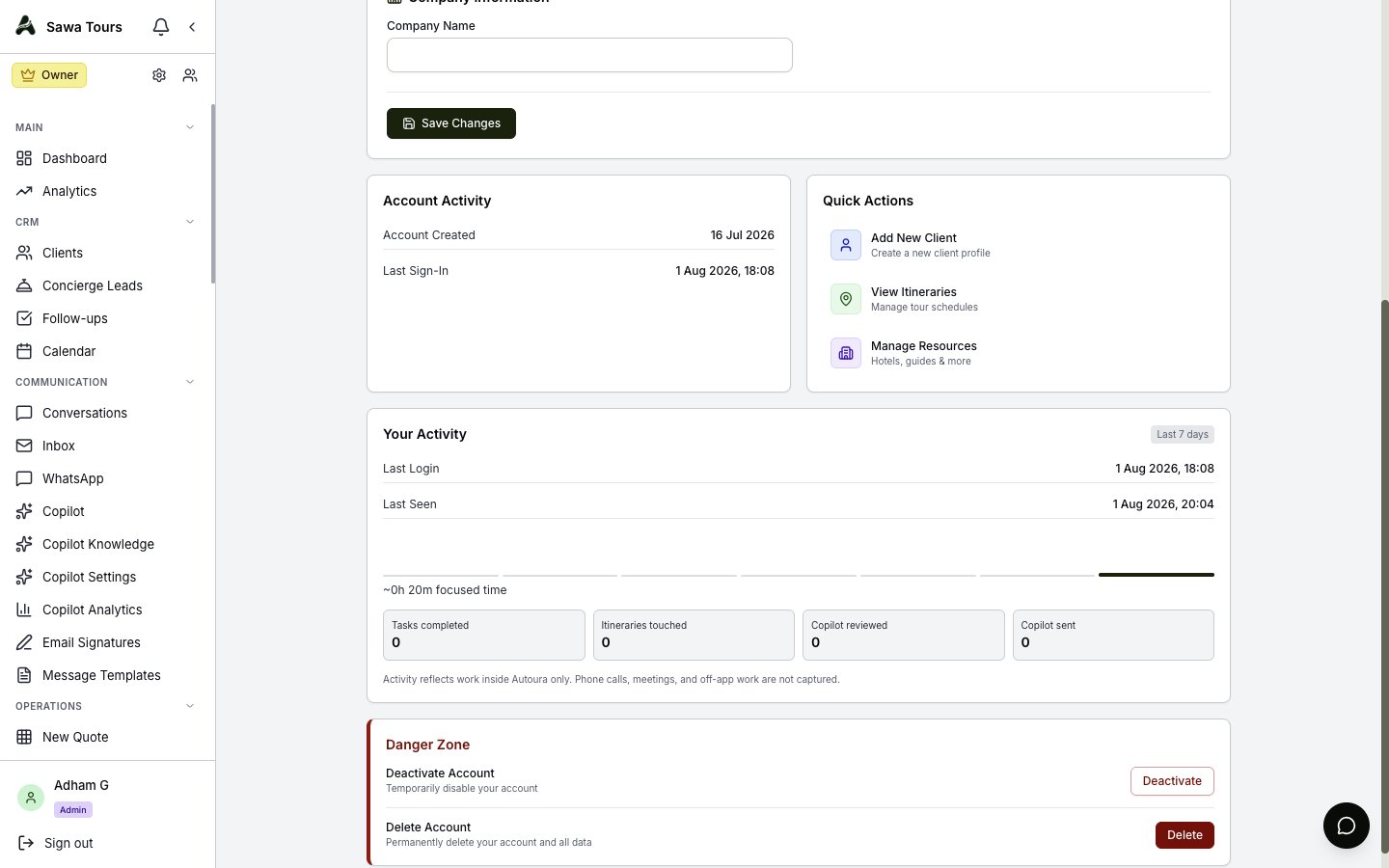
The Your Activity self-view on the profile page
What It Does Not Do
- It only sees work inside Autoura — phone calls, meetings, supplier visits, and messages sent from personal devices are invisible to it
- No screenshots, keystroke logging, webcam access, or tracking outside the app tab — ever
- It is not a productivity score — low app time is not evidence someone isn't working