Dashboard
The dashboard is your home base: what departs soon, what clients owe, what is waiting for a reply, and what must be fixed before a group travels. Dates are counted in your company’s timezone (Settings → Organization).
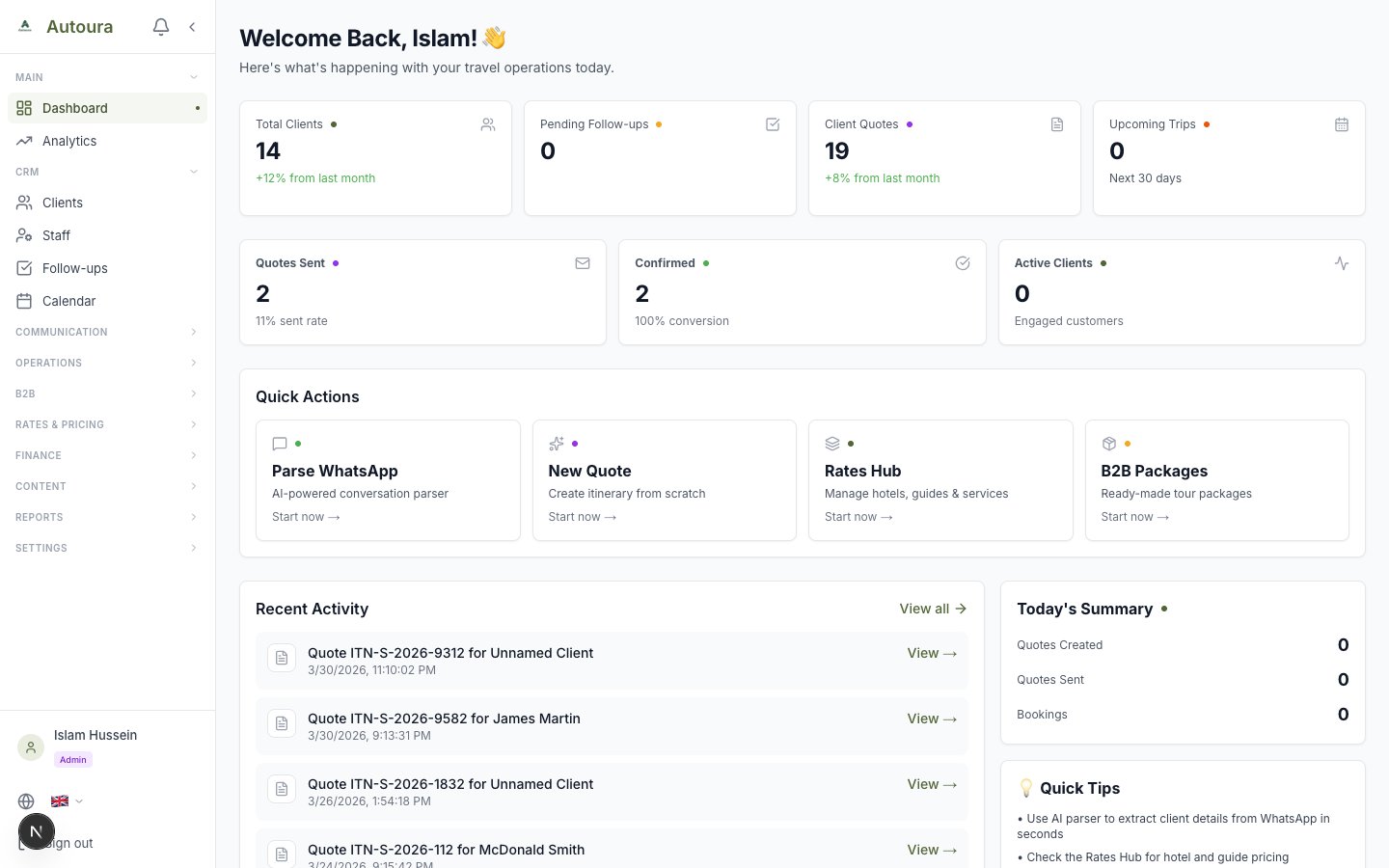
Dashboard with greeting, four action cards, list panels, and quick action buttons
Action cards
- Departing in 14 days — live bookings (not completed or cancelled) leaving today or in the next 14 days, with the next date. Opens Bookings.
- Outstanding — what clients still owe on sent, viewed, part-paid and overdue invoices, totalled per currency (an EGP invoice and a USD invoice show as two amounts, never added together), with how many are overdue. Opens Invoices.
- Needs a reply — new, unanswered messages in the Inbox, across email and WhatsApp.
- Quotes awaiting client — B2C quotes sent or viewed and not yet answered, with how many have had no reply for 5 days or more, or have expired.
Needs attention
The things to fix before a group travels, for departures in the next 45 days, each with a link to the screen that fixes it:
- a balance unpaid with its deadline reached or within 14 days;
- travellers with passport details or date of birth missing;
- no guide assigned on the trip’s itinerary;
- a change request or extra from the traveller portal still pending;
- a conversation where the client has waited more than 24 hours for a reply (urgent after 48).
Dismiss hides an item for the whole team until something about it changes; Undo brings it back.
Panels
- Expiring contracts (managers and admins) — supplier contracts expiring in the next 60 days or expired in the last 30.
- Today on the ground — every trip running today with its latest check-in from the staff on it; ops view opens the full view.
- Departing soon — the next five departures, with any balance due.
- Clients reading their proposal — the five itineraries most recently opened from a shared link, with how many times and when. Trips already confirmed, completed or cancelled are left out. A good moment to call.
- Largest balances owed — the five largest open invoice balances, each in its own currency, red when overdue.
- Waiting on your reply — the three newest unanswered messages; click to open the Inbox.
Quick actions
- New Quote — start a new itinerary.
- Rates Hub and B2B Packages — managers and admins.
- Clients — your client list, with the total.
What each role sees
Members see everything except Expiring contracts. Viewers see the departure, reply and quote counts and the panels without money — no Outstanding, no balances, no Needs attention — and nothing links to pages they cannot open.
Analytics
The dashboard is deliberately focused on what needs action today. For trends and totals — revenue, bookings, and performance over time — open Analytics in the sidebar (just under Dashboard).
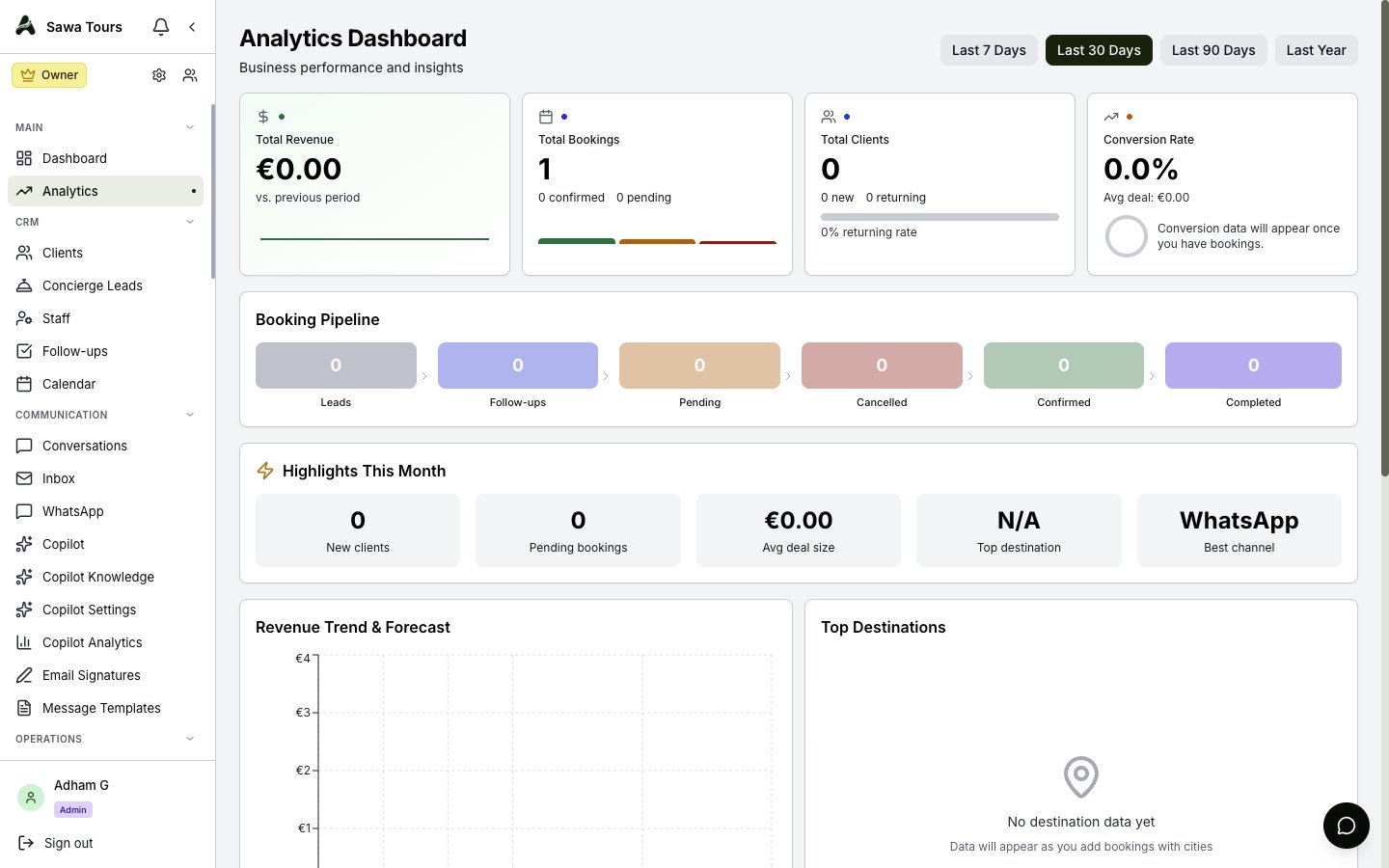
Analytics page with revenue and booking trend charts